
Pin the plan
Aconex · Senior Product Designer
🏅 US Patent US 2020/0257767 A1, "Enhancing a Construction Plan with Data Objects." Named inventor, filed by Oracle International Corporation, published August 2020. It covers the core interaction model from this project: attaching live workflow records to construction drawings without changing the drawing itself.
TL;DR
- What came out of it: Pinning shipped in Aconex's field issue tracking, and the interaction model was patented with me as a named inventor.
- The big call: Treat each pin as its own piece of data stored separately from the PDF, so the drawing never changes and pins can show live status.
- What we had to figure out: How to let teams place live Aconex records on a drawing, knowing what and where every time, without touching the drawing.
- What was getting in the way: Teams translated between drawings and separate forms, location got lost in words, and every competitor already had pinning.
- Where it starts: On site, the drawing is how everyone finds their way, and drawings made up 63.5% of documents in Aconex.
Where the work actually happens
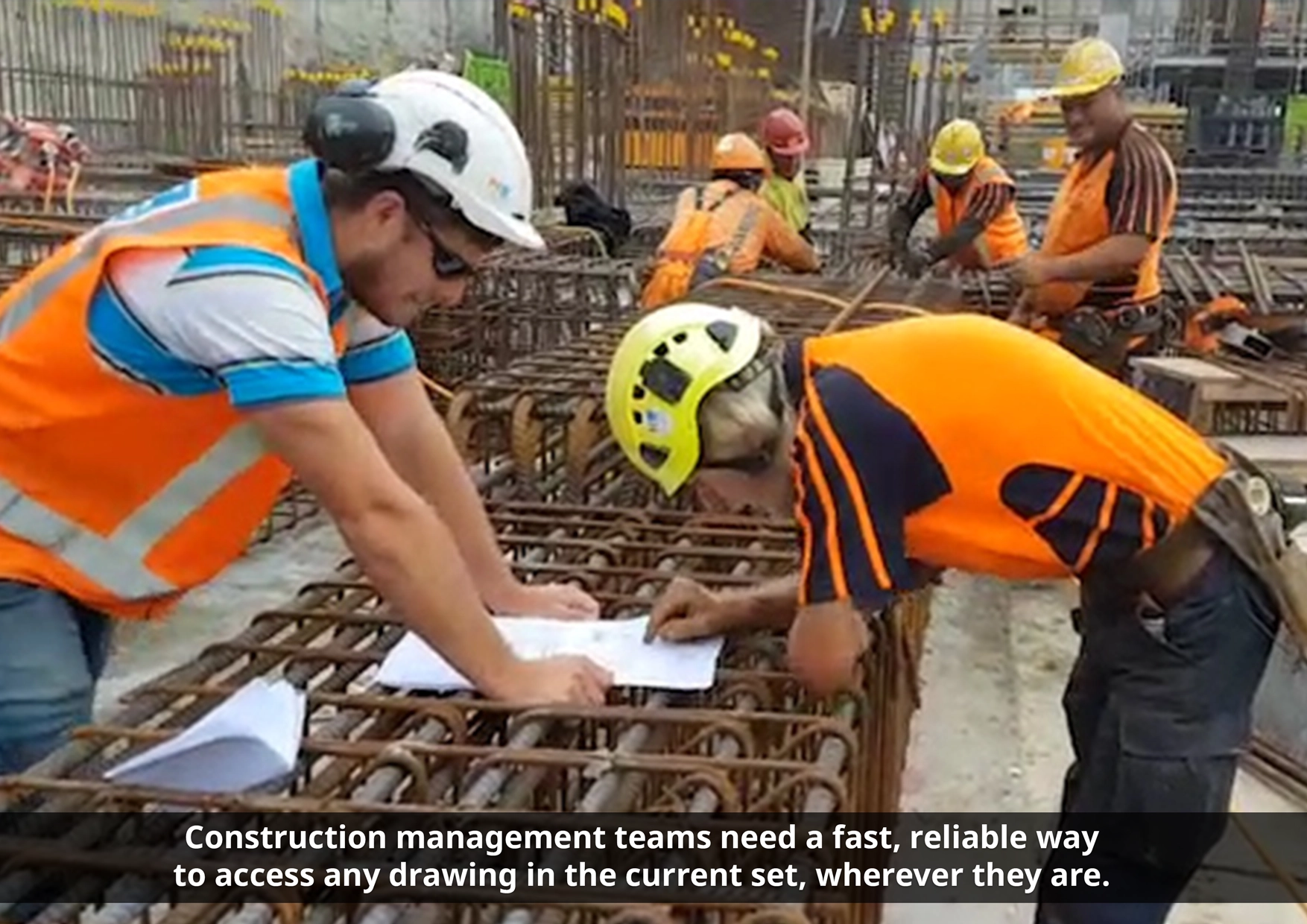
On a construction site, the drawing is the shared language. Architects, engineers, supervisors and subcontractors all orient themselves by the plan.
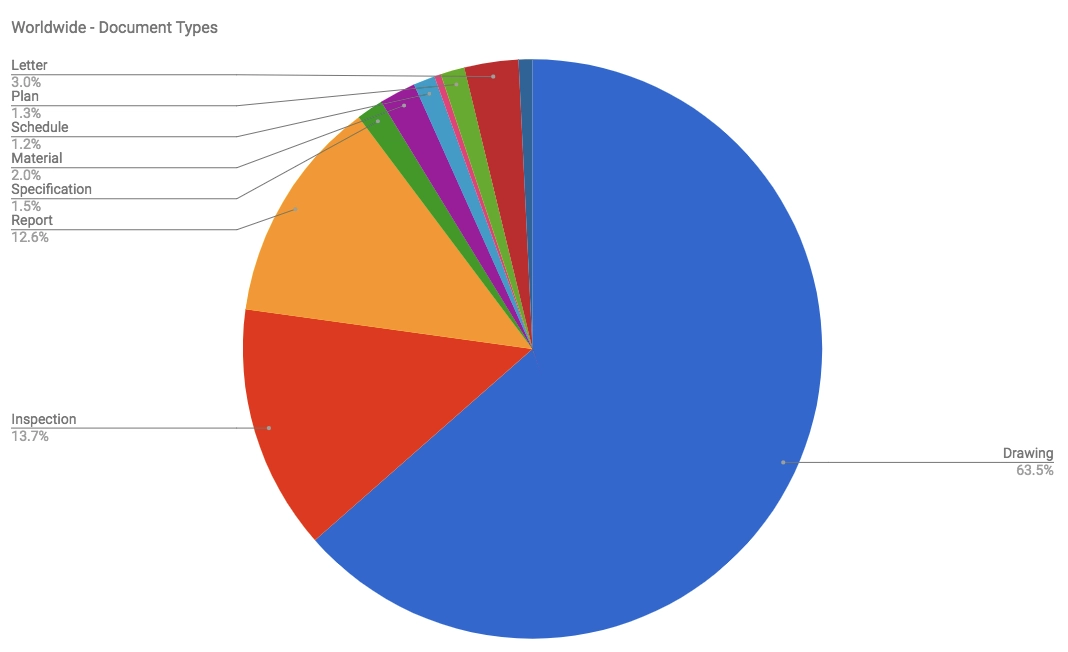
So it was no surprise that drawings made up 63.5% of all documents in Aconex's Document Register. About 71% of those were PDFs, because tools like Revit, AutoCAD and SketchUp all export to PDF as the universal handoff format.
Aconex had spent a decade digitising the processes those teams depend on, including quality assurance, site inspections, and health and safety. But these processes lived in forms and registers, separate from the drawings people actually worked from.
What was getting in the way
That separation had real costs:
- Field teams had to translate between two systems. They saw a defect on the plan, then described its location in words inside a separate record, then someone else had to reverse that translation later.
- Location lost its precision. "Level 3, near the east stairwell" isn't a coordinate.
- Competitors had closed the gap. Every construction app on the market let users drop items onto a drawing, and Aconex's mobile offering didn't.
- The obvious shortcut was a trap. Using the PDF annotation layer (stamps and markups) would have been quick, but it would have locked records into a format Aconex didn't control. It also couldn't show live workflow status such as colour changes, assignees or labels, and it made fluid interactions like dragging and animation very hard. Worst of all, it risked the integrity of the contractual drawing.
What we had to figure out
How might we let construction teams place live Aconex records directly on a drawing, knowing what they placed and where, every time, without altering the drawing itself?
How we pinned it down
Treat the pin as a data object, not a mark on the PDF
Each pin is a record linked to precise coordinates on the drawing and stored separately from the document. That single decision made the rest of the solution possible:
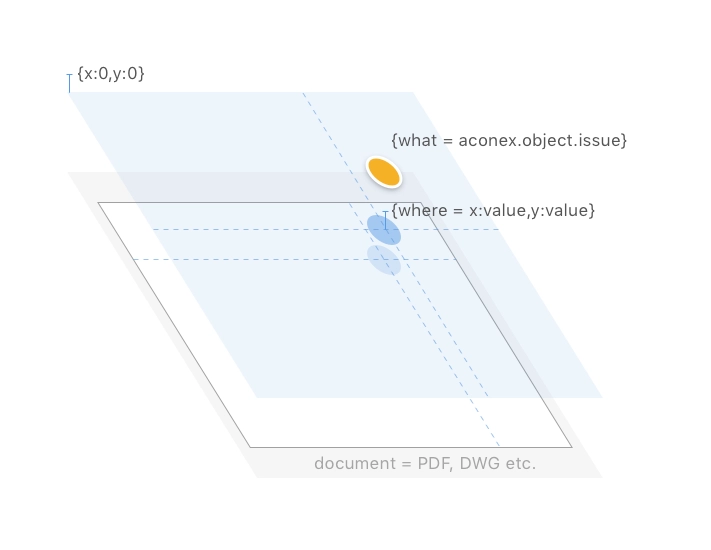
- Drawing integrity is preserved. Pinning never creates a new PDF version or touches the source file, which matters for documents with contractual weight.
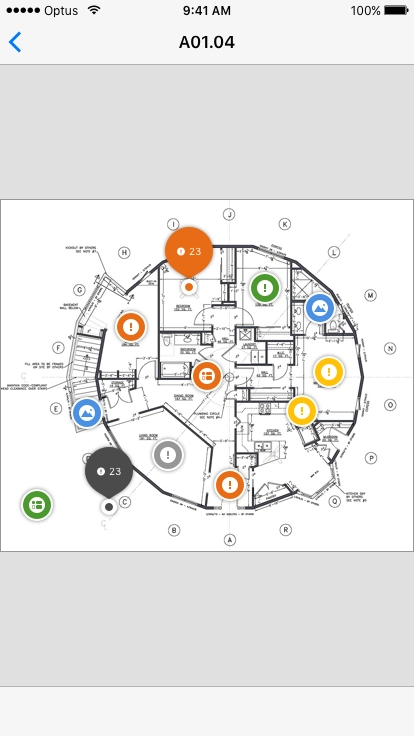
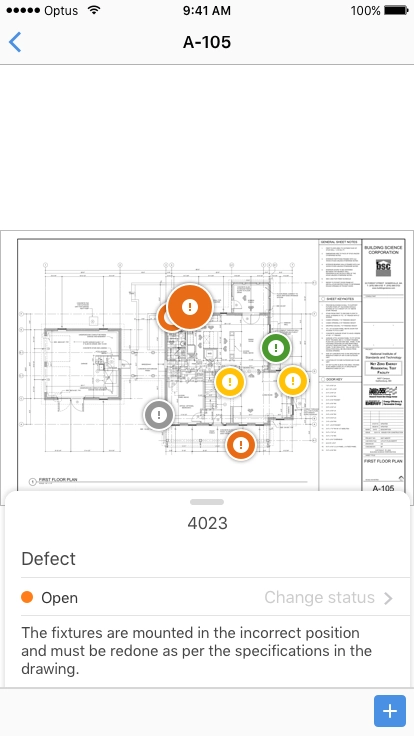
- Pins are alive. Because they're data rather than ink, they reflect workflow status, can be created, moved, edited and deleted, and stay in sync with the underlying Issue.
- The model is extensible. We started with Issues. Inspections were slated next, followed by RFIs, NCRs and other processes, all using the same pattern.
Earn the right to pin by fixing access first
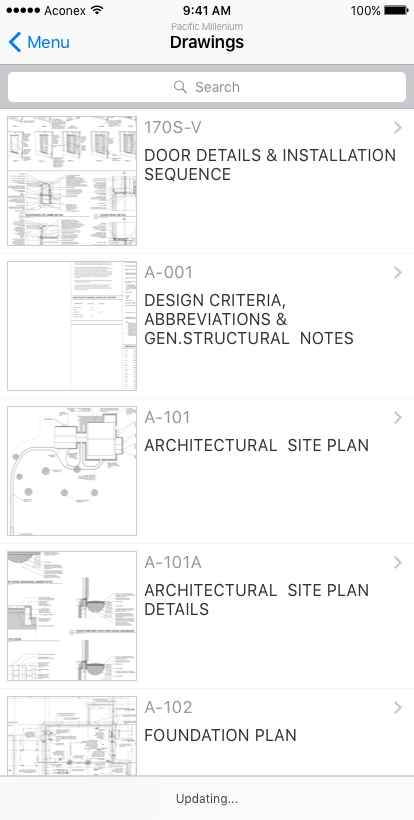
Before pins could matter, field teams needed to find the right drawing on mobile. We shipped the current drawing set in an early access build and tested it on live projects.
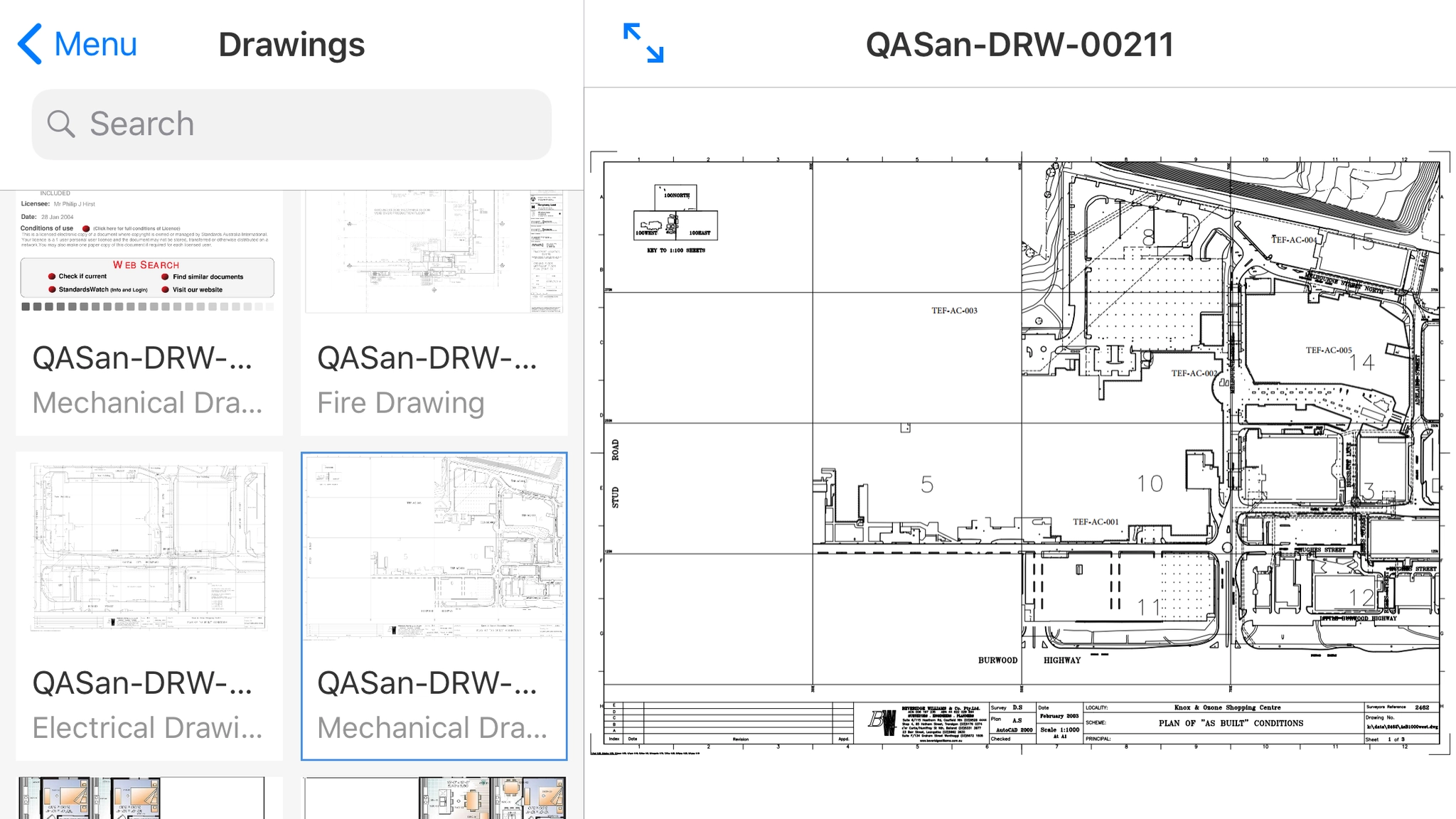
The research exposed three problems: search results didn't match how users searched, truncated drawing titles made sheets hard to identify, and users looked for drawings by discipline (electrical, architectural) rather than by our structure. We redesigned the browsing experience around list views that show a preview, the drawing number and the full title.
Design the pin and the pinning interaction
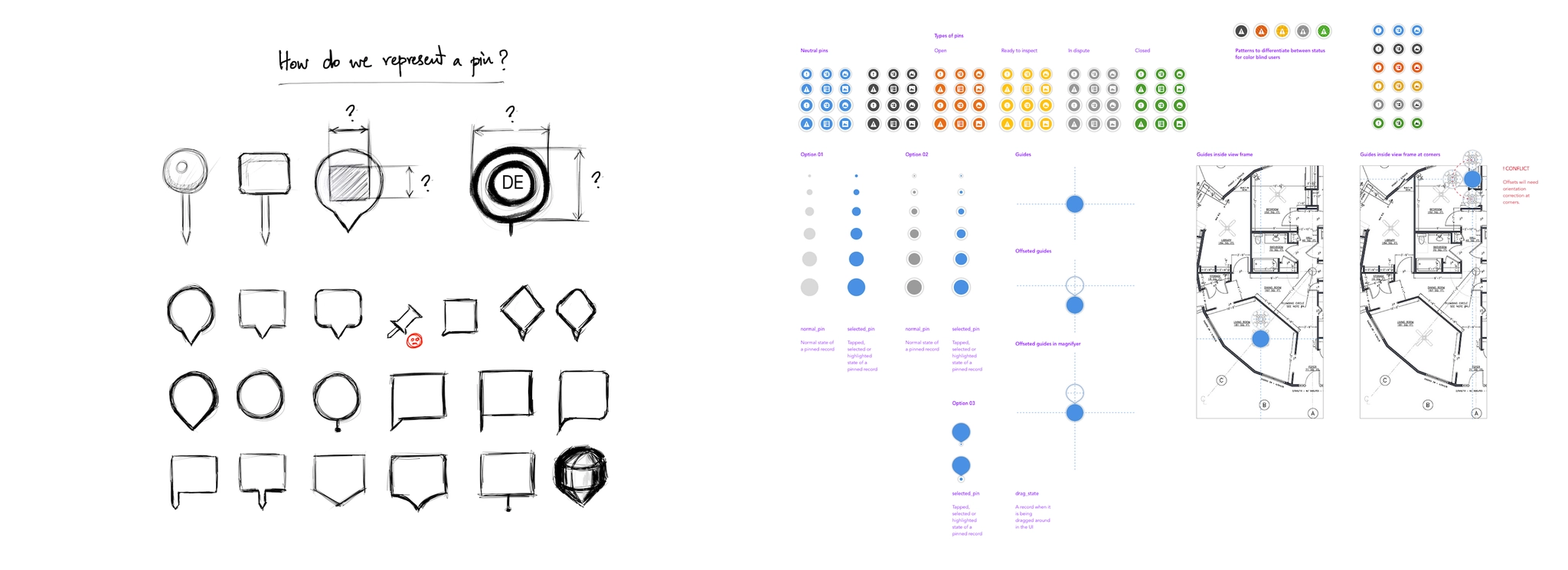
We explored how a pin should look, how it should signal workflow status (including patterns for colour-blind users), and how it should behave while being selected and dragged.
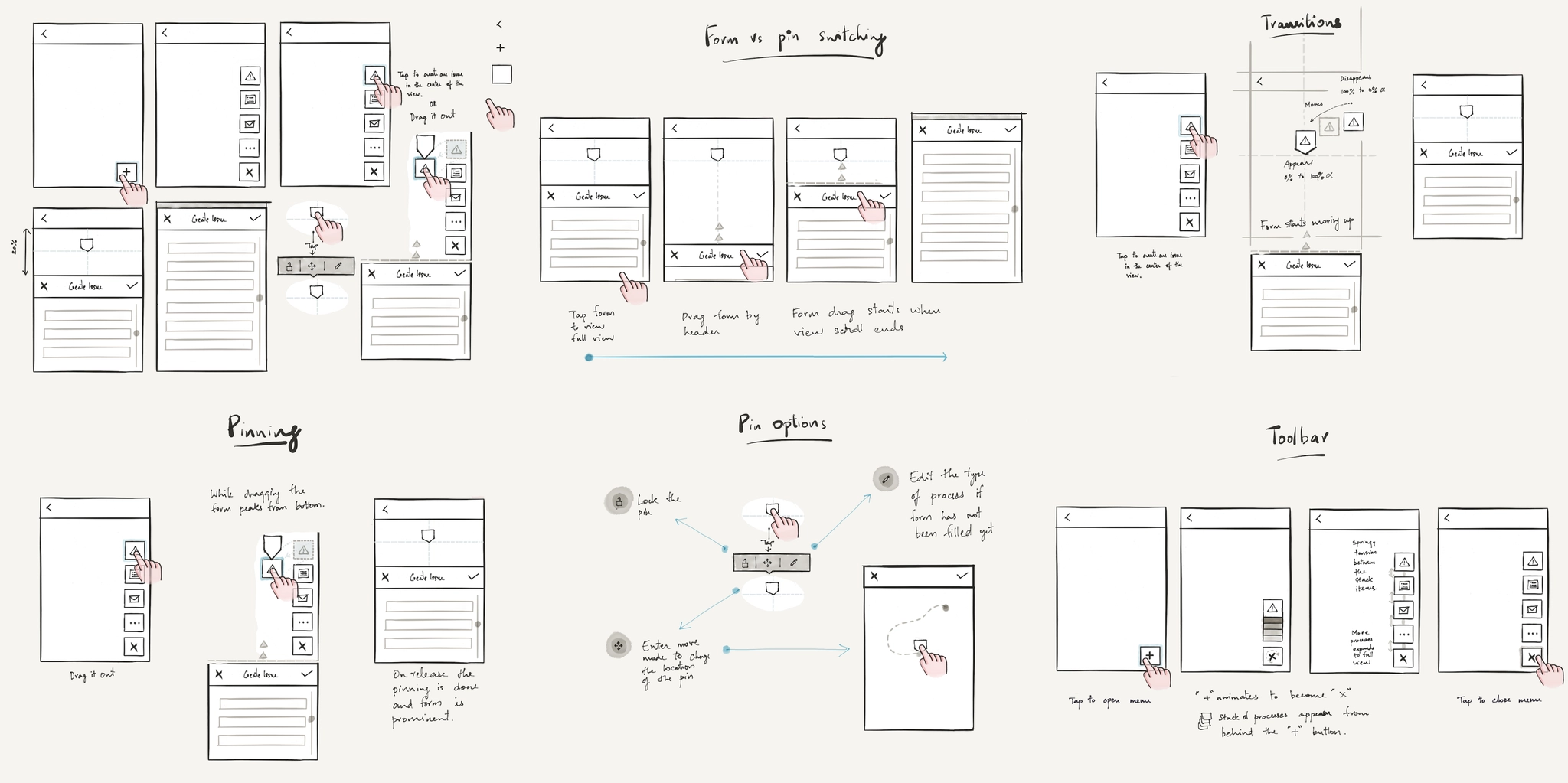
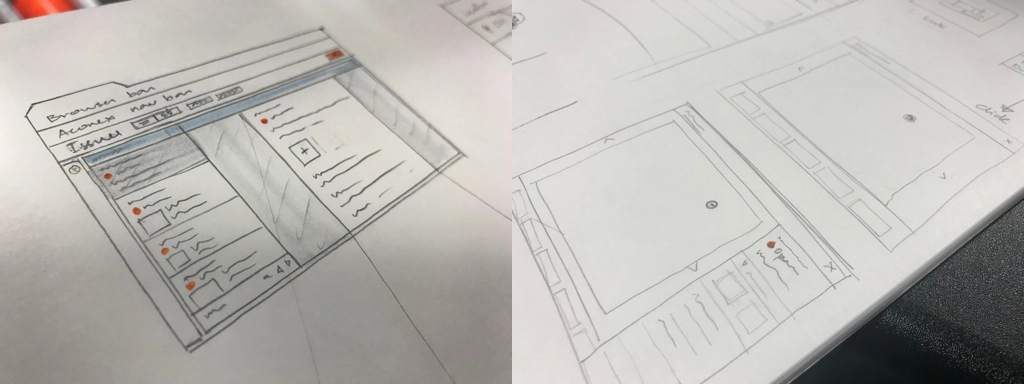
The interaction had to balance two things competing for the same small screen: the drawing and the form. We sketched the flows for dropping a pin, switching between pin and form, pin options, transitions and the toolbar.
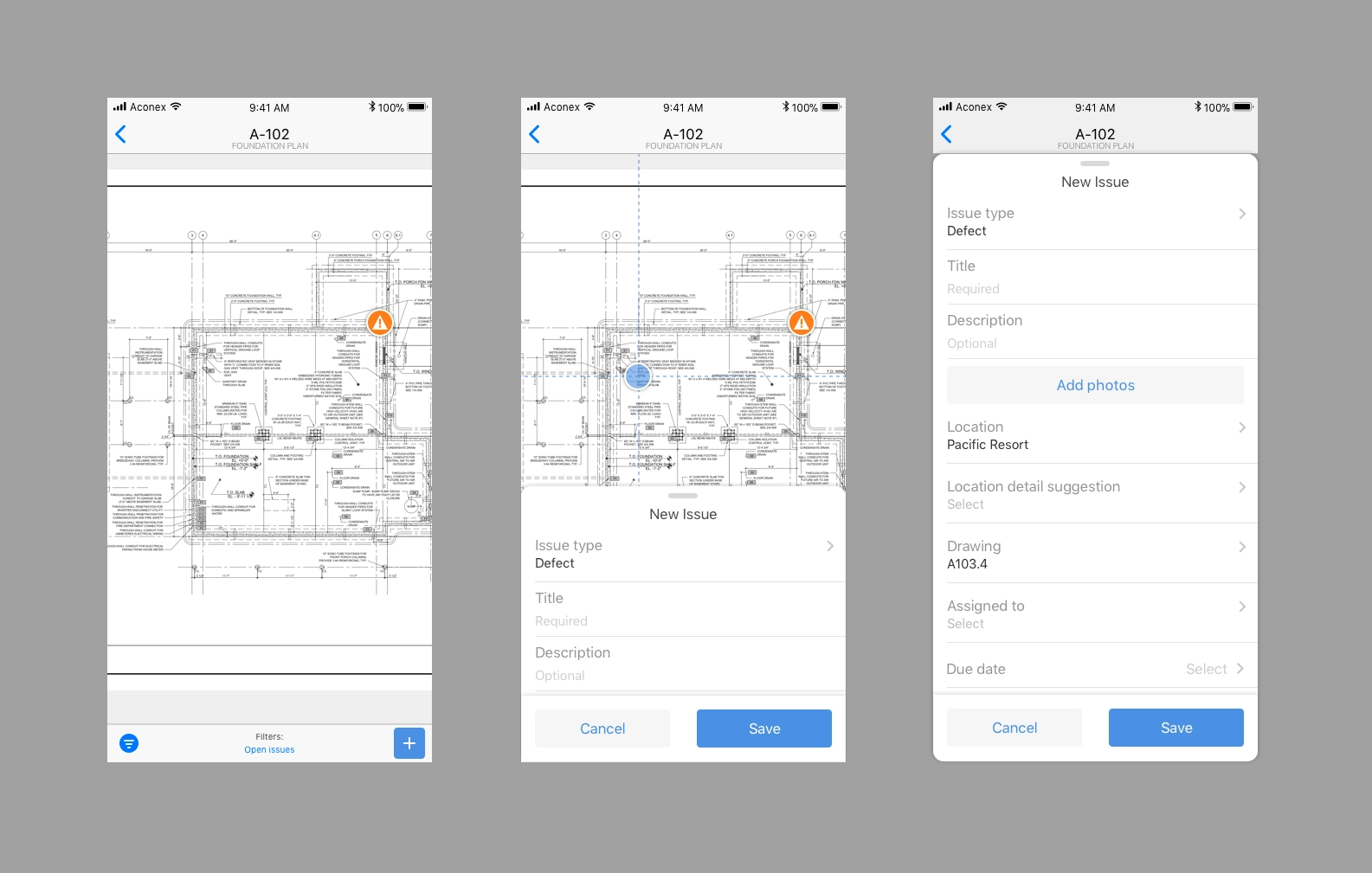
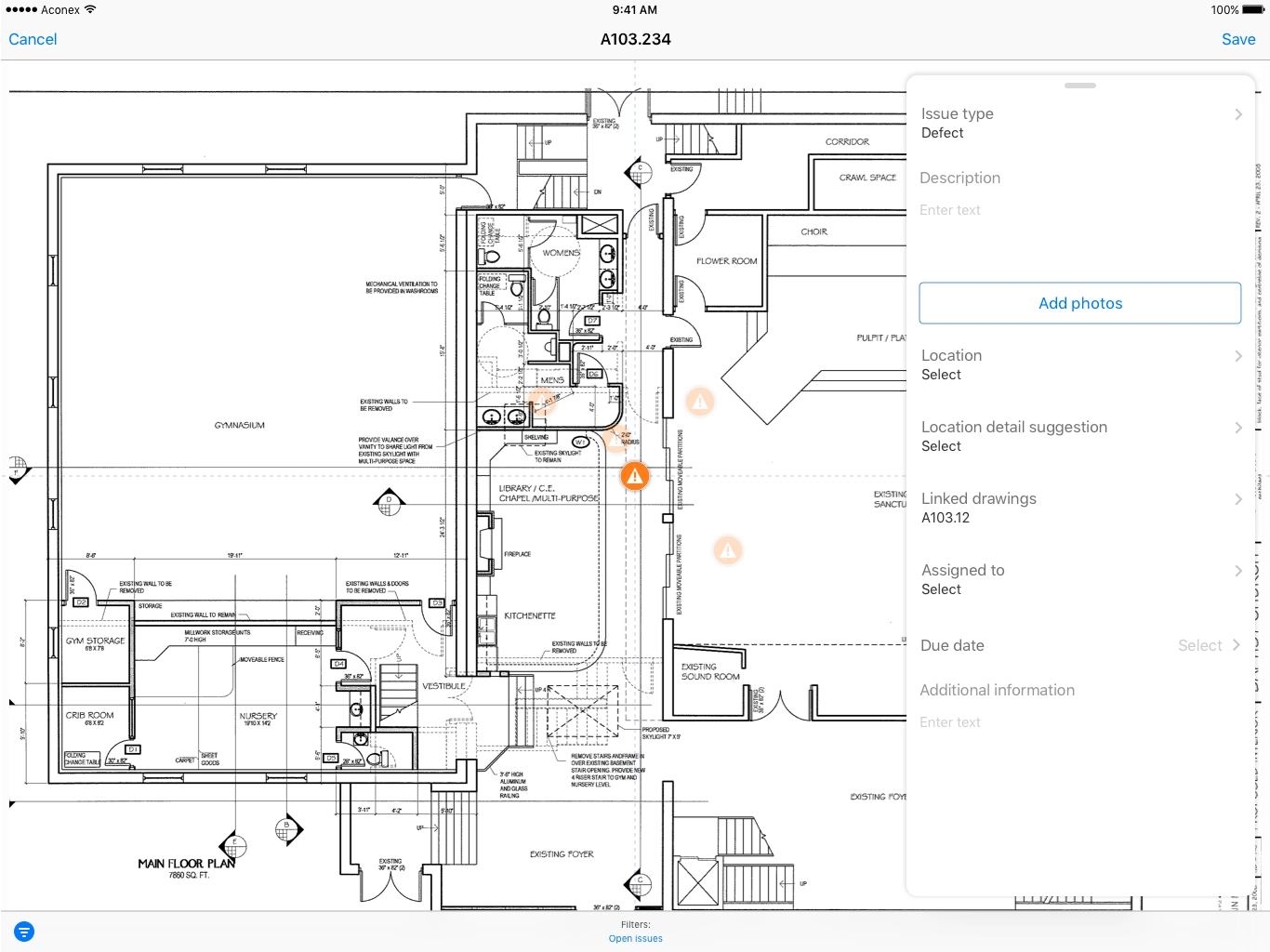
The first version let users drop a pin on the drawing and fill in the new issue form in a sheet that rises from the bottom, keeping the pin in view.
Design for scale and edge cases
Designing for scale meant pin clustering for dense drawings, tablet and web layouts, and a deliberate 1:1 relationship between an issue and its drawing. For repeated defects, like the same tap fixture on every floor, we designed fast duplication so each instance could be tracked on its own.
What came out of it
- Shipped as part of Aconex's field issue-tracking capability
- The interaction model was patented (US 2020/0257767 A1), with me as a named inventor alongside Belinda Dal Lago, James Peter Le Souëf, Stewart Gleadow and Guannan Wei
What I'd highlight as a design leader
The most important call wasn't a screen. It was refusing the annotation-layer shortcut and arguing for pins as separate data. That architectural decision protected data integrity, enabled live status, created a platform for every future Aconex process, and became the basis for the patent.